What Happens If You Connect a Charger Backwards?
Plug a charger in backwards and the outcome ranges from "nothing at all" to "smoke and a dead device." What happens if you connect a charger backwards depends on one thing above everything else: what protection the manufacturer built inside. Some gear shrugs it off. Some pops a fuse.
Some fries instantly.
That's why a single blanket answer is useless here. Lithium cells can vent or enter thermal runaway near 150°C, per UL and CPSC hazard data as of 2026. A lead-acid car battery reacts differently again.
Let's break down exactly what happens, so you know whether you're looking at a quick fix or a real hazard.

Quick Answer
Connecting a charger backwards forces current the wrong way through the device. If it has reverse-polarity protection, a diode or fuse blocks the current and it survives. Without protection, the reverse voltage fries the regulator, main chip, or battery.
Damage can be instant. Lithium batteries risk heat, swelling, or fire.
What "Connecting a Charger Backwards" Actually Means
"Backwards" means the positive and negative are swapped. Current then tries to flow the opposite direction from what the circuit expects. Engineers call this reverse polarity.
It happens in a few common ways:
- Using a universal adapter with the barrel tip flipped
- Wiring a DC connector with red and black crossed
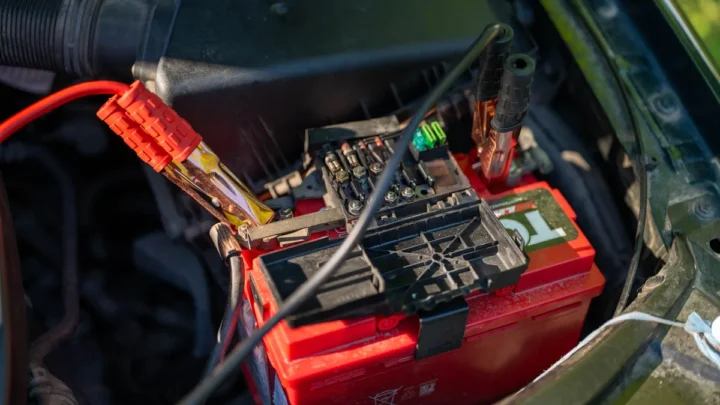
- Clamping jumper cables or charger leads onto the wrong battery posts
- Fitting a center-negative plug into a center-positive jack
Most modern USB gear can't do this. USB-C Power Delivery is polarity-agnostic by design, so the plug works either way up. The risk lives mostly in barrel-jack adapters, bench supplies, and bare battery terminals.
If you've ever second-guessed which post is which, our guide on probing a battery safely with a meter covers how to check before you connect anything.
What Happens the Moment You Reverse the Polarity
The instant you reverse polarity, current tries to push backward through parts that only allow one direction. Here's the chain of events, fastest to slowest:
- Reverse voltage hits the input circuit within microseconds.
- Any protection component (diode, fuse, MOSFET) reacts first.
- If nothing blocks it, current floods sensitive chips.
- Heat builds in seconds. Traces can burn or components can crack.
- Connected batteries may start heating or gassing.
You might see a spark. You might smell hot plastic or that sharp "burnt electronics" odor. Sometimes there's zero drama and the device is simply dead when you flip it around.
The absence of smoke does not mean the absence of damage. Internal components can fail silently.
Why the Outcome Depends Entirely on the Protection Inside
The single biggest factor is the protection circuit. Two identical-looking gadgets can react completely differently to the same mistake. One survives.
One dies. It all comes down to what's on the input.

Devices With a Protection Diode or MOSFET
These are the lucky ones. A reverse-polarity diode blocks current flowing the wrong way, so the device just stays off until you fix the connection.
A series Schottky diode drops about 0.3V. A standard silicon diode drops around 0.7V. A P-channel MOSFET does the same job with almost no voltage loss, which is why quality electronics use it.
In most of these cases, you flip the plug and everything works. No harm done.
Devices With Only a Fuse
Here, a fuse is the sacrifice. Reverse current spikes, the fuse blows, and the circuit goes dead before deeper damage spreads.
This is common in cars and 12V accessories. The good news: a blown fuse is a cheap, easy fix. The catch: a slow fuse sometimes lets enough current through to hurt a component before it clears.
If your accessory died after a wiring slip, a popped fuse is the first thing to check.
Devices With No Protection at All
This is the worst case. With no diode and no fuse, reverse voltage goes straight into the regulator and main IC.
Cheap electronics often skip protection to save a few cents. The result is usually instant and permanent. Melted traces, a cracked chip, or a board that never powers on again.
There's rarely anything to repair at this point.
Here's how the three scenarios stack up:
| Protection type | What happens | Typical result | Fixable? |
|---|---|---|---|
| Diode / MOSFET | Current blocked | Device stays off, then works | Yes, no damage |
| Fuse only | Fuse sacrifices itself | Dead until fuse swapped | Usually yes |
| No protection | Reverse voltage hits chips | Fried regulator or IC | Rarely |
Reverse Polarity vs a Simple Short Circuit
People mix these up, but they're not the same failure. A short circuit is when current finds an unintended low-resistance path and rushes through it. Reverse polarity is current flowing the correct path in the wrong direction.
The damage patterns differ too:
- A short usually trips protection fast because current spikes hard.
- Reverse polarity can sneak past weak protection at normal current levels.
- A short often stresses wiring and the source. Reverse polarity targets polarity-sensitive parts like diodes, regulators, and ICs.
Both can blow a fuse. Both can start a fire in the wrong conditions. But reverse polarity is sneakier, because the device may sit there looking fine while a chip cooks inside.
If you're chasing a mystery dead circuit, our walkthrough on tracking down a hidden current draw shows how to isolate the fault instead of guessing.
What Happens With Different Battery Types
Batteries make reverse polarity far more serious. You're no longer just risking a chip. You're risking heat, pressure, and in some cases fire.
The chemistry decides how bad it gets.
Lithium-Ion and Li-Po (Thermal Runaway Risk)
Lithium is the one to respect. Forcing current backward into a lithium cell can push it into thermal runaway, a self-feeding heat reaction.
Warning signs come fast: the cell gets hot, swells, or hisses. Once a cell vents, it releases flammable, toxic gas. Cell temperatures near 150°C can trigger runaway, per UL and CPSC lithium battery safety guidance.
A good Battery Management System (BMS) blocks reverse current, but cheap packs may have none. If a lithium pack starts ballooning, treat it as a live hazard and get it away from anything flammable.
Lead-Acid, Car, and Marine Batteries
Reverse-connecting a 12V lead-acid battery is a classic, ugly mistake. Cross the leads on a car battery and you can blow fuses, damage the ECU, or cook the alternator diodes.
Sparks at the terminals are the real danger. Charging batteries give off hydrogen gas, and a spark can ignite it. That's why hooking up jumper cables in the right order matters so much.
A reversed connection can also overheat the battery, and a case bulging on the sides is a clear sign something went badly wrong inside.
Warning Signs to Watch For Right After It Happens
Your senses are the fastest diagnostic tool you've got. Right after a reverse connection, check for these red flags in order:
- Heat: any part getting warm fast is a bad sign
- Smell: burnt plastic or a sharp chemical odor means a component cooked
- Swelling: a battery bulging or ballooning is a fire risk
- Smoke or hissing: stop everything and disconnect
- Sparks at the terminals: current is flowing where it shouldn't
If a battery starts giving off a rotten-egg smell, that's a stressed lead-acid cell venting hydrogen sulfide. Our breakdown of that sulfur odor and its causes explains why it happens and when to worry. Any of these signs means the mistake did real damage, not a harmless flip.
What to Do Immediately If You Connect a Charger Backwards
Act fast and act calm. The first few seconds matter most. Here's the sequence to follow:
- Disconnect the power. Pull the plug or unclip the leads right away.
- Step back from any battery that's hot or swelling.
- Don't touch bare terminals with bare hands.
- Let things cool before you inspect anything.
- Ventilate the area if you smell gas or burnt electronics.
If a lithium pack is hot or swollen, move it onto a non-flammable surface, away from paper, fabric, and fuel. Don't try to charge it again. For a car battery, check the inline and main fuses before anything else.
Then look for acid seeping from the case, which points to internal damage that needs the battery replaced.
How to Check and Replace a Blown Fuse
A blown fuse is the best-case failure, and often the whole fix. The fuse did its job by sacrificing itself. Here's how to check and swap it.

- Find the fuse. Check the device's fuse holder, inline fuse, or fuse box.
- Pull it out. Use a fuse puller or gentle pliers.
- Inspect the metal strip. A broken or blackened link means it's blown.
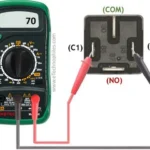
- Confirm with a multimeter set to continuity if you're unsure.
- Replace it with the exact same amp rating.
Never fit a higher-rated fuse to "fix" repeated blowing. That defeats the protection and risks fire. If the new fuse blows instantly, the reverse connection likely damaged something downstream.
At that point you're troubleshooting a fault, not just a fuse.
How to Tell If Your Device Is Actually Dead
Test before you toss it. A device that won't power on isn't always beyond saving. Work through these checks in order.
- Fix the polarity first, then try powering on normally.
- Check any fuse or resettable polyfuse (a PPTC fuse resets once it cools).
- Look for a protection diode that may have failed short.
- Measure the input voltage reaching the board with a multimeter.
If power reaches the board but nothing responds, the main regulator or IC is probably fried. A multimeter voltage and continuity check tells you whether current is even getting through. When the regulator is gone, most consumer electronics aren't worth repairing.
The parts and labor cost more than a replacement.
Barrel Jacks, Polarity Markings, and Center-Positive vs Center-Negative
Barrel jacks cause most reverse-polarity mistakes with adapters. The plug fits either way physically, but the polarity can be flipped. That's where the trouble starts.

Every adapter has a small polarity symbol. It shows a circle with a dot in the middle and lines to the plus and minus signs. Center-positive means the inner pin is positive.
Center-negative means the inner pin is negative. Most consumer electronics are center-positive, but not all, so check.
Here's how to read it fast:
| Symbol clue | Meaning | Common on |
|---|---|---|
| + connects to center dot | Center-positive | Most routers, small electronics |
| − connects to center dot | Center-negative | Some pedals, older gear |
Match the adapter's symbol to the device's symbol before plugging in. Voltage and amperage must match too. A multimeter on the DC setting confirms which contact is positive if the label is worn off.
How to Prevent Reverse Polarity in the First Place
The best fix is never making the mistake. A few habits stop it cold. Prevention costs seconds, repairs cost money.
- Match polarity symbols before every connection
- Use keyed or polarized connectors where possible
- Label your DC leads with red for positive
- Stick to USB-C for anything that supports it
- Double-check tips on universal adapters
Reading Polarity Symbols Before You Plug In
Always find the polarity symbol first. It's printed on the adapter and near the device jack. The dot in the center tells you which contact is positive.
Match the two symbols. If the device is center-positive, the adapter must be too. Voltage and current ratings need to line up as well.
A mismatch there causes its own set of problems.
Using a Multimeter to Verify Terminals
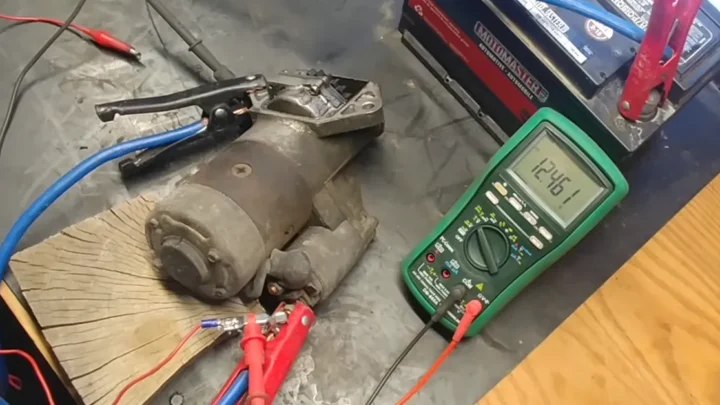
A multimeter removes all doubt. Set it to DC volts, touch red to the contact you think is positive, and read the display. A positive number confirms your guess.
A negative number means the leads are reversed.
This takes ten seconds and saves a fried board. Accuracy matters here, and even a budget meter does the job for basic polarity checks. For anything near mains voltage, mind the meter's safety category rating before you probe.
Mistakes That Turn a Small Fix Into a Big One
Some reactions make things far worse. A blown fuse is cheap. A fire is not.
Avoid these traps.
- Fitting a bigger fuse to stop repeat blowing. This kills the protection.
- Reconnecting a swollen lithium pack "to test it." That risks runaway.
- Ignoring a faint burnt smell and using the device anyway.
- Forcing a barrel plug without checking polarity first.
- Charging a battery that's hot to the touch.
The pattern is impatience. People want the device working now, so they skip the checks. That's how a two-dollar fuse turns into a scorched board or a battery fire.
When to Stop and Call a Professional or Replace the Device
Some situations are past DIY. Know when to walk away. Your safety beats saving a gadget.
Stop and get help if you see any of these:
- A lithium battery that's swollen, hot, or leaking
- Smoke, flames, or a battery that won't cool down
- Burnt smells from sealed equipment you can't open
- A car where the ECU or alternator may be damaged
- Repeated fuse blowing after a fix
For vehicles, reverse polarity can hit expensive control modules. A mechanic can scan for fault codes before you spend on guesswork. When damage runs deep, replacing the device is often cheaper and safer than chasing a repair.
Frequently Asked Questions
Can connecting a charger backwards start a fire?
Yes, though it's uncommon with protected gear. The real fire risk comes from batteries. A lithium cell forced with reverse current can overheat, vent flammable gas, and ignite.
Lead-acid batteries can spark near hydrogen gas. Disconnect immediately and keep any hot or swollen battery away from anything flammable.
Will reverse polarity always destroy my device?
No. Devices with a reverse-polarity diode or MOSFET usually survive unharmed. Fuse-protected gear often just needs a new fuse.
Only unprotected electronics tend to fail instantly. The outcome depends entirely on what protection the manufacturer built into the input circuit.
Does polarity matter for USB chargers?
Not for USB-C. Power Delivery is designed to work regardless of plug orientation, so you can't reverse it. Older barrel-jack adapters are the real concern, because the plug fits either way but the polarity can be wrong.
Always check the polarity symbol on barrel-style adapters.
How do I know if a fuse blew from reverse polarity?
Pull the fuse and look at the metal strip inside. A broken or blackened link means it blew. Confirm with a multimeter set to continuity, which beeps on a good fuse and stays silent on a bad one.
Replace it with the exact same amp rating.
Is reverse polarity the same as a short circuit?
No. A short circuit is current taking an unintended low-resistance path. Reverse polarity is current flowing the correct path in the wrong direction.
Both can blow a fuse, but reverse polarity specifically damages polarity-sensitive parts like diodes, regulators, and chips, sometimes without any visible sign.
The Quick Safety Recap Before You Plug Anything In
Reverse polarity is one of those mistakes that's easy to make and easy to prevent. The damage swings from zero to total, based on the protection inside and the battery involved.
Keep these habits and you'll rarely get burned:
- Check the polarity symbol every single time
- Verify terminals with a multimeter when unsure
- Trust USB-C, respect barrel jacks
- Watch for heat, smell, and swelling after any slip
- Treat lithium batteries as the highest risk
Slow down for the ten-second check. It's cheaper than a new board and a lot safer than a battery fire.

Similar Posts