How to Read a Car Battery Date Code the Easy Way
A car battery that looks brand new can already be a year old before it reaches your driveway. Learning how to read a car battery date code tells you when it was actually built, not when it landed on the shelf. That one detail decides how much real life you get out of it.
Most lead-acid batteries carry a stamped or stickered code near the top edge or on a terminal cover. The Battery Council International (BCI) group size sits right next to it, but the date is what tells you about freshness. Aggregate reviews report that batteries sitting more than six months lose charge and start to sulfate.
Here's why that clock starts ticking the moment it's made.

Quick Answer
To read a car battery date code, find the stamped or stickered code near the top. Most use a letter for the month and a digit for the year. A means January, B means February, on up to L for December.
The number is the year, so 5 means 2025. A code like C5 means March 2025.
Why the Date Code on Your Car Battery Actually Matters
The date code is the best clue to how much service life you have left. A lead-acid battery starts aging the day it's built, even sealed in a box. It slowly self-discharges and the plates begin to sulfate.
Buy one that's been sitting a year, and you've already burned through part of its useful life. Most car batteries last 3 to 5 years. Starting that countdown six or twelve months early is money straight out of your pocket.
The code also protects your warranty. Coverage usually runs from the manufacture or purchase date, not from when you install it. If you ever need to make a claim, that stamped date is your proof.
There's a diagnostic angle too. If you've got a battery that keeps going flat and the code shows it's four years old, age is your likely culprit, not a hidden fault. Knowing the date saves you from chasing a problem that isn't there.
The Quick Way to Tell How Old Your Battery Is
Here's the fast method. Find the code, read the first character as a month, and read the number as the year. Most major brands follow this letter-plus-digit pattern.
Say you spot C5 stamped on the cover. C is the third letter, so March. The 5 is 2025.
That battery was built in March 2025.
| Code you see | Month | Year | Built on |
|---|---|---|---|
| A4 | January | 2024 | Jan 2024 |
| C5 | March | 2025 | Mar 2025 |
| G5 | July | 2025 | Jul 2025 |
| L6 | December | 2026 | Dec 2026 |
If the year digit is ambiguous, use common sense. As of 2026, a "5" almost always means 2025, not 2015. No fifteen-year-old battery is still selling as new stock.
Some brands flip the order or use a sticker with a printed month and year. Those are the easy ones. When you see plain "05/25," you don't need to decode anything.
Where to Find the Date Code (Sticker, Stamp, or Terminal Cover)
The code hides in a few common spots. Check these first, roughly in this order:
- The top label or a small sticker on the battery's top surface
- Hot-stamped or embossed into the plastic on a top corner
- On the negative terminal cover or a cap near the posts
- Along the side wall, sometimes low near the base
- On the bottom edge for a few compact designs

Embossed codes are the sneaky ones. They're molded into the plastic with no ink, so tilt the battery under good light to catch the raised or recessed characters. A photo with your phone flash on often makes them pop.
Don't confuse the date code with the group size or the part number. The BCI group number (like 24F, 35, or 65) tells you the physical size and terminal layout, not the age. The Cold Cranking Amps (CCA) rating sits nearby too.
You want the short letter-number combo or the printed date.
If the battery is already in the car, you may need a flashlight and a mirror. Terminals and cables can hide the code. Keep metal tools away from bridging the posts while you look.
How the Letter-and-Number Code Works
The mainstream system is simple once you know the key. A letter gives the month. A number gives the year.
Everything else is a variation on that theme.
The Month Letters (A Through L)
The letters run straight through the calendar. A is January and L is December, twelve letters for twelve months.
| Letter | Month | Letter | Month |
|---|---|---|---|
| A | January | G | July |
| B | February | H | August |
| C | March | I | September |
| D | April | J | October |
| E | May | K | November |
| F | June | L | December |
One catch worth knowing. A handful of serial-number formats skip the letter I to avoid mixing it up with the number 1. If a brand skips I, the count shifts and September becomes J.
Check the maker's key if the month looks off by one.
Reading the Year Digit
The number after the letter is the last digit of the year. A "4" means 2024, a "5" means 2025, a "6" means 2026. Simple as that.
Because it's only one digit, it repeats every decade. Context clears it up instantly. A battery being sold new right now with a "5" is 2025, full stop.
Julian Date Codes (Day-of-Year Format)
Some batteries, especially OEM and industrial units, use a Julian code instead. This is a number for the day of the year from 001 to 365, usually paired with a year digit.
For example, "5230" can read as year 2025, day 230, which lands in mid-August. It looks cryptic, but it's just a calendar day counted from January 1. If you see a long string of numbers with no letter, you're probably looking at a Julian or shipping code.
Manufacture Date vs. Ship Date vs. Warranty Sticker
Not every date on the battery means the same thing, and this trips people up. There are usually three you might run into.
The manufacture date is when the battery was actually built. This is the one that matters most for aging. It's typically the stamped or embossed code we've been decoding.
The ship date is when the battery left the plant or warehouse. Some retailers stamp this on. It can be weeks or months after manufacture, so treat it as a rough guide.
The warranty sticker is a separate label, often a peel-tab or punch-out wheel. A store may date it at the point of sale to mark when your coverage begins. Don't mistake this for the build date, because it can read months newer than the actual battery.
| Date type | What it tells you | Where it usually sits |
|---|---|---|
| Manufacture date | True age of the battery | Stamped or embossed code |
| Ship date | When it left the plant | Extra stamp or printed line |
| Warranty date | When coverage starts | Peel-tab or punch sticker |
When in doubt, trust the manufacture code over any sticker. A battery sitting in a warehouse still ages, no matter what the warranty tab says. If the manufacture date is more than six months back, you're buying stock that's already partway through its shelf life.
Decoding Codes by Brand
The letter-and-number rule covers most batteries, but formats shift from brand to brand. Knowing the small differences saves you from misreading by a month or a year. Here's how the big names handle it.
Interstate, ACDelco, and Motorcraft
Interstate uses a sticker with a letter for the month and a single digit for the year, matching the standard A-to-L key. ACDelco often stamps a code where the first character is a letter for the month and the following number is the year. Motorcraft, Ford's line, typically prints a clear alphanumeric date on the label.
With all three, look on the top of the case first. If the sticker is faded, the same info is often embossed nearby as a backup.
EverStart, Duralast, and DieHard
EverStart, Walmart's house brand built by Clarios, uses a code where the year and month lead the string. Duralast, sold at AutoZone, prints a date you can usually read straight off the label. DieHard batteries carry a stamped code on the cover with the familiar month letter and year digit.
These retail brands often add a separate warranty sticker at purchase. Don't let that fresher-looking tab fool you. The build code is the number that counts.
Bosch, Exide, Optima, and Odyssey
Bosch and Exide lean on stamped or embossed codes on the case, sometimes in a longer serial string where the date is baked in. Optima's spiral-cell batteries stamp a code on the base or side, often with a Julian-style number. Odyssey prints a date or a week-year code you decode as week number plus year.
When a brand uses a serial string, the first block is usually the date. If it looks like gibberish, check that maker's official decoder page before you assume it's old.
Step-by-Step: Reading Your Battery's Code in Under a Minute
Here's the whole process boiled down. Follow these steps and you'll have the age nailed fast.
- Find the code. Check the top label, terminal cover, and case corners. Use a flashlight for embossed characters.
- Spot the format. Is it a letter plus a number, a printed date, or a long Julian string? That tells you which rule to apply.
- Read the month. A letter maps to the month using the A-to-L key. A printed "05" is simply May.
- Read the year. The single digit is the year's last number. As of 2026, a "5" means 2025.
- Do the math. Subtract the build date from today. That gap is the battery's true age.
- Decide. Fresh stock is good to buy. Old stock or an aged unit already in your car may be near the end.
Snap a phone photo of the code before you put anything back. It's handy for warranty records and for comparing against the store's newer stock.
Common Mistakes When Reading a Battery Date Code
Most misreads come from a few repeat offenders. Watch for these and you'll rarely get it wrong.
- Reading the warranty sticker as the build date. The peel-tab date marks coverage, not manufacture. Trust the stamped code.
- Confusing ship date with manufacture date. A ship stamp can lag the build by months. Use the true build code for age.
- Missing the skipped I. A few serial formats drop the letter I, which shifts the month. Verify with the brand's key.
- Mistaking group size or CCA for the date. The BCI group number and Cold Cranking Amps rating sit close by. Neither is the date.
- Overlooking embossed codes. No ink means easy to miss. Tilt the case under light.
One more trap: assuming a low price means old stock, or the reverse. Price tells you nothing about age. Only the code does.
What Counts as "Too Old" to Buy off the Shelf
A battery older than six months from its build date is pushing it. Lead-acid units self-discharge slowly while they sit, roughly 1 to 5 percent a month. Left long enough without a charge, the plates sulfate and lose capacity for good.
Here's a simple guide for shelf stock:
| Age from build | Verdict |
|---|---|
| Under 3 months | Fresh, buy with confidence |
| 3 to 6 months | Still fine, ask if it was kept charged |
| 6 to 12 months | Caution, expect some lost life |
| Over 12 months | Skip it or ask for a discount |
If the only unit in stock is older, ask the store to check for a newer one out back. Reputable shops rotate inventory and top up charge on sitting batteries. A battery that reads low out of the box may just need a full charge, but repeated flat readings point to real damage.
Age also explains a lot when a battery underperforms early. If yours is barely a year old but the voltage keeps bottoming out, the build date helps you separate a defective unit from normal wear.
Pairing the Date Code With a Quick Health Check
The date code tells you the age, but not the current health. Pair it with a fast voltage check to see the full picture. Age plus a live reading beats either one alone.

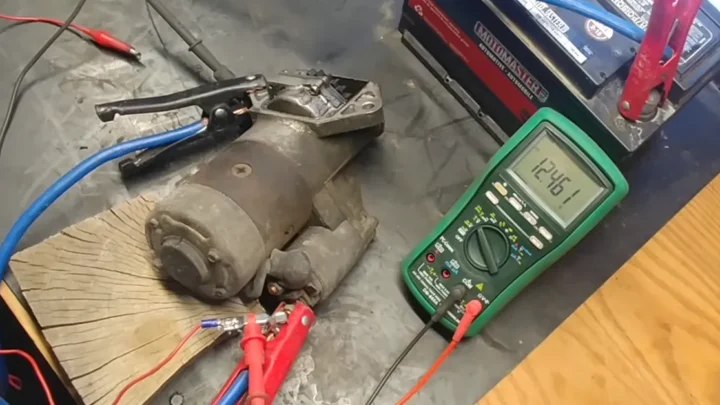
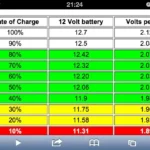
A rested, fully charged battery should read about 12.6 to 12.8 volts. If you're seeing 12.4 or lower at rest, it's not fully charged or it's aging. Our research shows a resting reading gives a solid snapshot once you know what the numbers mean, and understanding what a resting figure signals is the fastest confidence check you can run.
Voltage Test vs. Load Test
A voltage test shows the resting charge. A load test shows whether the battery holds up under real demand, like cranking the engine. They answer different questions.
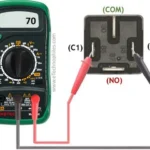
- Voltage test: Quick, needs only a multimeter set to 20V DC. Great for a first look at state of charge.
- Load test: Uses a carbon-pile or digital conductance tester. Shows real cranking strength and hidden weakness.
For a shelf battery, voltage is usually enough. For one that's a few years old and acting up, a load test earns its keep. If you'd rather skip the meter, there are a few no-tool checks that give a rough read, and telling a weak battery from a charging fault is easier once you compare readings with the engine off and running.
An old date code plus a weak load result is a clear replace signal. A fresh code with a low voltage reading usually just means charge it up and retest. A battery that keeps going flat despite a fresh build date points to a parasitic draw, not age.
Why Age Hits Harder in Hot and Cold Climates
Heat is a battery's worst enemy. High under-hood temperatures speed up fluid loss and internal corrosion, so an older battery fails faster in hot regions. In desert climates, even a well-kept battery may only last 2 to 3 years.
Cold has a different effect. It doesn't age the battery as fast, but it saps cranking power right when you need it most. An older unit with a weak charge can leave you stranded on a frosty morning, and knowing how cold snaps drag readings down helps you plan ahead.
Handling and Recycling Safety When You Check the Battery
Lead-acid batteries hold sulfuric acid and vent hydrogen gas, so treat them with respect. Wear gloves and eye protection when you handle one to read a code or run a test. Keep sparks and metal tools away from the terminals to avoid a short.

Never toss an old battery in the trash. Nearly all lead-acid units are recyclable, and most retailers take your old core for credit. The [U.S.
Environmental Protection Agency](https://www.epa.gov) outlines safe recycling practices worth following.
Pro Tips for Buying a Genuinely Fresh Battery
A few habits keep you from paying full price for aged stock:
- Read the build code before you pay, not after.
- Ask the counter to check for a newer unit if the code is over six months old.
- Ignore the warranty sticker for age. It marks coverage, not manufacture.
- Confirm a resting voltage near 12.6V on a battery that's been sitting.
- Match the BCI group size and CCA rating to your vehicle's spec.
FAQs About Car Battery Date Codes
Does the date code mean the battery is bad if it's old?
No, an old code alone doesn't mean it's dead. It means the battery has been aging on a shelf. Pair the date with a voltage or load test to judge real health before you decide.
Is the manufacture date the same as the warranty start?
Usually not. The manufacture date is when the battery was built. Warranty coverage often starts at purchase, marked on a separate sticker.
Check both when filing a claim.
What if my battery only has a long number code?
That's likely a Julian or serial code. The first digits typically give the year and day of the year. Use the manufacturer's official decoder if the format isn't obvious.
How fresh should a new battery be?
Aim for under six months from the build date. Lead-acid batteries self-discharge while stored, so fresher stock gives you more usable life and full warranty runway.
Turning the Date Code Into a Smart Buy-or-Replace Call
The date code turns guesswork into a clear decision. Fresh stock under six months old is a confident buy. Anything over a year deserves a discount or a pass.
For a battery already in your car, pair the age with a quick voltage check. An old code plus weak readings means it's time to replace. A fresh code with a low charge usually just needs topping up.
Read the code, do the math, and you'll never overpay for old power again.

Similar Posts