What Happens If You Use the Wrong Battery Size?
Reach for a spare battery in a hurry, and it's easy to grab the wrong one. What happens if you use the wrong battery size depends entirely on the mismatch. Sometimes the device simply won't switch on.
Other times you're looking at leaks, overheating, or a real fire risk.
The gap can look tiny on paper but matter a lot in practice. A rechargeable NiMH AA puts out 1.2 volts, while a standard alkaline AA delivers 1.5 volts. Battery dimensions follow the international IEC 60086 standard, so any cell labeled "AA" shares the same shape.
Trouble starts when the voltage or chemistry changes behind that familiar shape.
Quick Answer
Using the wrong battery size usually means one of two outcomes. If the cell is too big or too small, the device won't power on. If it fits but the voltage or chemistry is wrong, you risk damage.
Alkaline cells can leak and corrode contacts. Lithium cells can overheat, swell, or catch fire.
What Actually Happens When You Put the Wrong Battery Size in a Device
The result falls on a scale from harmless to hazardous. On the harmless end, the battery just doesn't make contact and nothing turns on. On the dangerous end, the wrong chemistry vents, leaks, or overheats inside the housing.
Here's the quick logic our research keeps coming back to:
- If the battery is physically too big, the compartment won't close and nothing happens.
- If it's too small, it rattles loose and loses contact intermittently.
- If it fits but the voltage is too low, the device runs weakly or not at all.
- If it fits but the voltage is too high, sensitive electronics can fry.
- If the chemistry is wrong, you invite leaks, heat, or venting.
That last point is where people get hurt. A device that "accepts" a cell isn't the same as a device that's safe with it. As of 2026, the riskiest swaps involve lithium cells shaped like ordinary alkaline batteries, which we'll get to shortly.
The Short Answer: Harmless Mismatch vs. Genuinely Dangerous One
Most wrong-size mistakes are annoying, not dangerous. Put an AAA where an AA belongs and the device won't run, but nothing bad happens. The cell is too skinny to bridge the contacts properly.
The dangerous mistakes share one trait: the battery fits, but its electrical behavior doesn't match what the device expects. That's when heat, pressure, and chemical leaks come into play.
| Type of mismatch | What you'll notice | Risk level |
|---|---|---|
| Too big to fit | Cover won't close | Harmless |
| Too small / loose | Flickers, cuts out | Harmless |
| Right size, low voltage | Weak or no power | Low |
| Right size, high voltage | Device damage | Moderate to high |
| Wrong chemistry | Leaks, heat, venting | High |
If you're troubleshooting a device that reads voltage but still won't run, the same principle applies to cars. A battery can show the right number and still fail under load, something we cover in this look at a 12V reading that won't crank.
Two Kinds of Wrong Size: Physical Fit vs. Voltage and Chemistry
There are really two separate problems hiding inside "wrong battery size." One is about shape. The other is about electricity. Generic advice blurs them together, and that's exactly where people slip up.
When the Battery Is Too Big or Too Small to Fit
A poor physical fit is the safe kind of mistake. The battery either won't seat or won't stay put. Here's what tends to happen:
- Too tall or too wide: the compartment door won't latch.
- Too short: the spring contact can't reach both ends.
- Slightly narrow: the cell wobbles and drops connection.
The temptation is to "make it work" with foil, a folded coin, or a spacer. Don't. Forcing a cell with a conductive shim can short the terminals and heat the cell fast.
If the right size doesn't drop in cleanly, it's the wrong battery.
When It Fits but the Voltage or Chemistry Is Off
This is the sneaky one. The battery slides in perfectly, so it feels correct. But voltage and chemistry decide what actually happens next.
Swap a 1.5V alkaline for a 1.2V rechargeable and most gadgets cope fine. Go the other way, and put a 3.7V lithium cell where a 1.5V one belongs, and you can overload the circuit. Voltage mismatch is the same reason a car acts strangely when its supply sags, which we break down in why the reading drops during a cold start.
Chemistry matters just as much. Mixing an old cell with a fresh one, or two different chemistries in series, can force one cell into reverse and make it leak or vent.
Coin Cell Confusion: CR2032 vs. CR2025 vs. CR2016 vs. LR44
Coin cells cause more wrong-size mix-ups than any other format. They look nearly identical, and the numbers hide the only difference that matters: thickness. The U.S.
Consumer Product Safety Commission has flagged these tiny cells repeatedly, both for swap confusion and for the serious swallowing hazard they pose to kids, guidance you can read at the CPSC.

Why Thickness Matters More Than You'd Think
The four-digit code tells you the size. The first two digits are the diameter in millimeters. The last two are the height in tenths of a millimeter.
| Coin cell | Diameter | Thickness | Voltage |
|---|---|---|---|
| CR2032 | 20 mm | 3.2 mm | 3.0V |
| CR2025 | 20 mm | 2.5 mm | 3.0V |
| CR2016 | 20 mm | 1.6 mm | 3.0V |
All three share the same 20mm width and 3.0 volts. Only the height changes. A CR2025 will often work in place of a CR2032, but it sits thinner, so contact can be weak and runtime shorter.
Go too thin, like a CR2016, and it may not touch the contacts at all.
Stacking two thin cells to fake a thicker one is a bad idea. It doubles the voltage and can damage the device or heat the cells.
Alkaline vs. Silver-Oxide Equivalents (LR44 vs. SR44)
LR44 and SR44 are the same size but different chemistry. LR44 is alkaline at about 1.5 volts. SR44 is silver-oxide, also near 1.55 volts but with a steadier output.
For a watch or a laser pointer, either usually works. For a precise instrument like a light meter, the flatter silver-oxide curve gives more consistent readings. The sizes match, so the swap is safe.
Just know the alkaline version fades sooner and is more prone to leaking as it drains.
AA, AAA, C, and D Swaps and the Spacer Trap
Cylindrical cells all run at 1.5 volts, so the voltage isn't the issue here. The size and current capacity are. A D cell holds far more energy than a AA, even though both push 1.5 volts.
Using AAA Instead of AA
An AAA in a AA slot won't work reliably, because it's too narrow and too short. It can't bridge the contacts, so the device stays dead or flickers. Some people wedge foil or a small spring in the gap to close the circuit.
Skip that trick. A metal shim can short the cell against the wall of the compartment. That builds heat fast and risks a leak.
Store-bought plastic size adapters are safer, but they don't add capacity, so a AAA inside a D-to-AA adapter still drains quickly.
Rechargeable 1.2V NiMH Standing In for 1.5V Alkaline
A 1.2V NiMH cell works in most AA and AAA devices, and it's a smart everyday swap. Remotes, clocks, and game controllers barely notice the 0.3-volt drop. The chemistry is stable and won't leak the way tired alkalines do.
The exception is anything voltage-sensitive. A few digital thermometers and older cameras want the full 1.5 volts to read correctly. If a device acts flaky on rechargeables, that voltage gap is usually why.
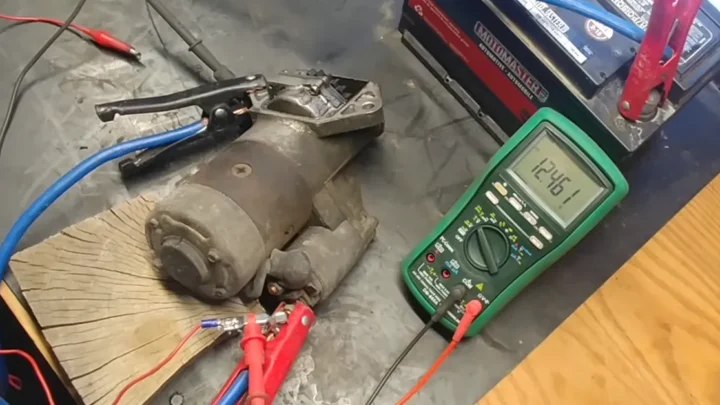
Voltage under load tells a similar story with car batteries, which is why a 12.4-volt reading means something specific rather than just "good enough."
The Most Dangerous Mismatch: 3.7V Li-ion in a 1.5V Slot
This is the swap that actually hurts people. Some lithium-ion cells, like the 14500, are shaped exactly like a AA. They fit any AA compartment.
But they carry 3.7 volts, more than double a normal AA.
Drop one into a 1.5V device and you can push too much voltage through the circuit. Cheap electronics can overheat or fail outright. Worse, a bare lithium cell has no protection board, so a short can send it into thermal runaway.
Thermal runaway means the cell heats itself faster than it can cool. It can vent hot gas, swell, or catch fire. The same danger appears with 16340 cells that mimic an alkaline size.
If a "AA" feels unusually light or lists 3.6V to 3.7V on the wrapper, it's a lithium cell, not a straight replacement.
What Goes Wrong: Leakage, Overheating, Venting, and Reverse Charging
When a mismatch turns bad, it shows up in four main ways. Each one damages the device, the battery, or both.

- Leakage: alkaline cells ooze potassium hydroxide, a white crust that eats contacts and circuit boards.
- Overheating: too much current or a short warms the cell and the surrounding plastic.
- Venting: lithium cells release pressure and gas when they overheat, sometimes with flame.
- Reverse charging: in a series pack, a weak or wrong cell gets driven backward by the others.
Reverse charging is the quiet troublemaker. Mix an old AA with three fresh ones, and the dead cell can be forced into reverse. That builds gas inside it and often ends in a leak.
That's why manufacturer instructions say to replace every cell in a device at the same time.
Real-World Symptoms That Tell You Something's Off
The earliest warning sign is a device that runs weak, resets, or dies far too soon. Those usually point to low voltage or poor contact, not a broken gadget. Before you toss the electronics, suspect the battery.
Watch for these red flags:
- A warm or hot battery compartment during normal use.
- A faint chemical or metallic smell near the cells.
- White or greenish crust on the contacts.
- A cell that's swollen, bulging, or hard to remove.
- A rechargeable that drains in hours instead of days.
Any heat, smell, or swelling means stop right away. Power the device off and let it cool before you open it. A battery that reads normal but still fails under load is a familiar story, and the same multimeter-based diagnosis that catches a dying car battery applies to household cells too.
Coin and Button Cell Ingestion: The Highest-Stakes Risk
The single most serious danger with small batteries isn't the device at all. It's a child or pet swallowing a coin cell. A 20mm lithium cell like a CR2032 can lodge in the throat and cause severe burns within two hours.
Saliva completes a circuit across the cell, which generates hydroxide and burns tissue fast. This can happen even with a "dead" battery that no longer powers a device. The National Capital Poison Center runs a 24/7 hotline for exactly these emergencies.
Keep loose coin cells locked away and tape over spares. If you suspect a child has swallowed one, call Poison Control or emergency services immediately and don't wait for symptoms. Under U.S. rules tied to Reese's Law, many products now ship with child-resistant battery covers for this reason.
How to Match the Right Battery Every Time
Getting it right comes down to three checks, not one. Match the size, the voltage, and the chemistry. Nail all three and you'll almost never run into trouble.
- Read the label: the device's compartment or manual lists the exact size and voltage.
- Check the old cell: the printed code (AA, LR6, CR2032) is your reference.
- Confirm voltage: 1.5V alkaline, 1.2V NiMH, 3.0V lithium coin, 3.7V Li-ion.
- Verify polarity: line up the flat negative end with the spring.
- Replace as a set: swap all cells together, same brand and age.
If a cell doesn't drop in without force, stop and recheck the size. The right battery seats cleanly every time.
Cleaning Up After a Leak and Salvaging the Device
A leaked alkaline battery often isn't the end of the device. Move fast and you can usually save it. Pull the battery out first, wearing gloves, since the crust is caustic.
Dab the white residue with a cotton swab dipped in a little white vinegar or lemon juice. The mild acid neutralizes the alkaline leak. Wipe the contacts clean, then dry them fully before installing fresh cells.
If a contact is badly corroded, a gentle scrub with a soft brush usually clears it. Never use water on a device that's still powered. Toss the leaked cell in your household hazardous-waste collection, not the trash.
Mistakes That Quietly Damage Your Electronics
Some habits do slow damage you won't notice until it's too late. These are the ones our research sees most often:
- Mixing brands or old and new cells in the same device.
- Combining alkaline and rechargeable chemistries in one pack.
- Leaving dead batteries inside a gadget for months.
- Forcing a slightly wrong size with foil or a folded shim.
- Storing loose cells in a drawer with keys and coins.
That last one causes real fires. Loose 9V and lithium cells can short across metal objects. Cap the terminals or tape them before they go in a drawer.
Battery Size, Voltage, and Capacity Reference Chart
Here's a quick side-by-side of the common sizes, so you can match voltage and capacity at a glance. Capacity is listed in milliamp-hours (mAh), which measures how long a cell lasts.

| Size | Voltage | Typical capacity | Common chemistry |
|---|---|---|---|
| AAA | 1.5V | 1,000 to 1,200 mAh | Alkaline / NiMH |
| AA | 1.5V | 1,800 to 3,000 mAh | Alkaline / NiMH |
| C | 1.5V | 6,000 to 8,000 mAh | Alkaline |
| D | 1.5V | 12,000 to 18,000 mAh | Alkaline |
| 9V | 9.0V | 500 to 600 mAh | Alkaline |
| CR2032 | 3.0V | 225 mAh | Lithium coin |
| 18650 | 3.7V | 2,000 to 3,500 mAh | Li-ion |
Notice the 18650 and CR2032 both sit far above 1.5 volts. Those are the cells to never treat as drop-in AA replacements. Voltage, not shape, decides what's safe.
Safe Storage, Disposal, and Recycling of the Wrong Cells
Store spare batteries in their original packaging, cool and dry. Heat speeds up self-discharge and raises leak risk. Keep loose cells away from anything metal.
For disposal, alkaline cells can go in most household trash in the U.S., though recycling is better. Lithium and rechargeable cells should never hit the trash. They can spark fires in trucks and sorting plants.
Take Li-ion, NiMH, and button cells to a battery recycling drop-off. Many hardware and electronics stores host free collection bins. Tape the terminals of 9V and lithium cells before you drop them off.
When to Stop and Get Help
Stop using a device the moment a battery gets hot, swells, or smells. Power it down and move it away from anything flammable. A swelling lithium cell is a fire risk, not a fix-it-later problem.
Call Poison Control right away if anyone swallows a button cell. Don't wait for symptoms. For a lithium cell that's venting or smoking, get clear and call emergency services.
Frequently Asked Questions
Can the wrong battery size damage my device?
Yes, but only certain mismatches. A too-small cell just won't power the device. A higher-voltage cell, like a 3.7V lithium in a 1.5V slot, can overload the circuit and fry the electronics.
Is it safe to use CR2025 instead of CR2032?
Usually yes, since both are 20mm and 3.0 volts. The CR2025 is thinner, so contact may be weak and runtime shorter. Never stack two thin cells to fake the height.
Can I use rechargeable batteries in place of alkaline?
Most of the time, yes. A 1.2V NiMH works in remotes, clocks, and toys. Skip it in voltage-sensitive gear like some thermometers that need the full 1.5 volts.
Why do batteries leak when you mix old and new ones?
Mixing cells forces the weaker one into reverse charging. That builds gas and pressure inside it, which pushes out the leak. Always replace every cell in a device together.
The Bottom Line: Matching Size, Voltage, and Chemistry Safely
Most wrong-size mistakes just leave a device dead, and that's the easy fix. The real danger is a cell that fits but carries the wrong voltage or chemistry. Match all three every time: size, voltage, and chemistry.
Keep coin cells away from kids, never force a fit with foil, and recycle lithium and rechargeable cells safely. Get those habits right, and a battery swap stays a two-minute job instead of a hazard.

Similar Posts