How to Charge a Portable Jump Starter the Right Way
A dead jump starter is useless the second your car won't crank. Knowing how to charge a portable jump starter keeps that little box ready for the one cold morning you actually need it. Most units recharge through a simple cable.
But the details shift by model, and getting them wrong shortens the battery's life fast.
Most lithium jump starters hold a usable charge for three to six months in storage, per manufacturer specifications. As of 2026, nearly every consumer unit runs on lithium-ion cells with a built-in battery management system. That changes how you charge them and how you store them.
Here's what to check before you plug anything in.
Quick Answer
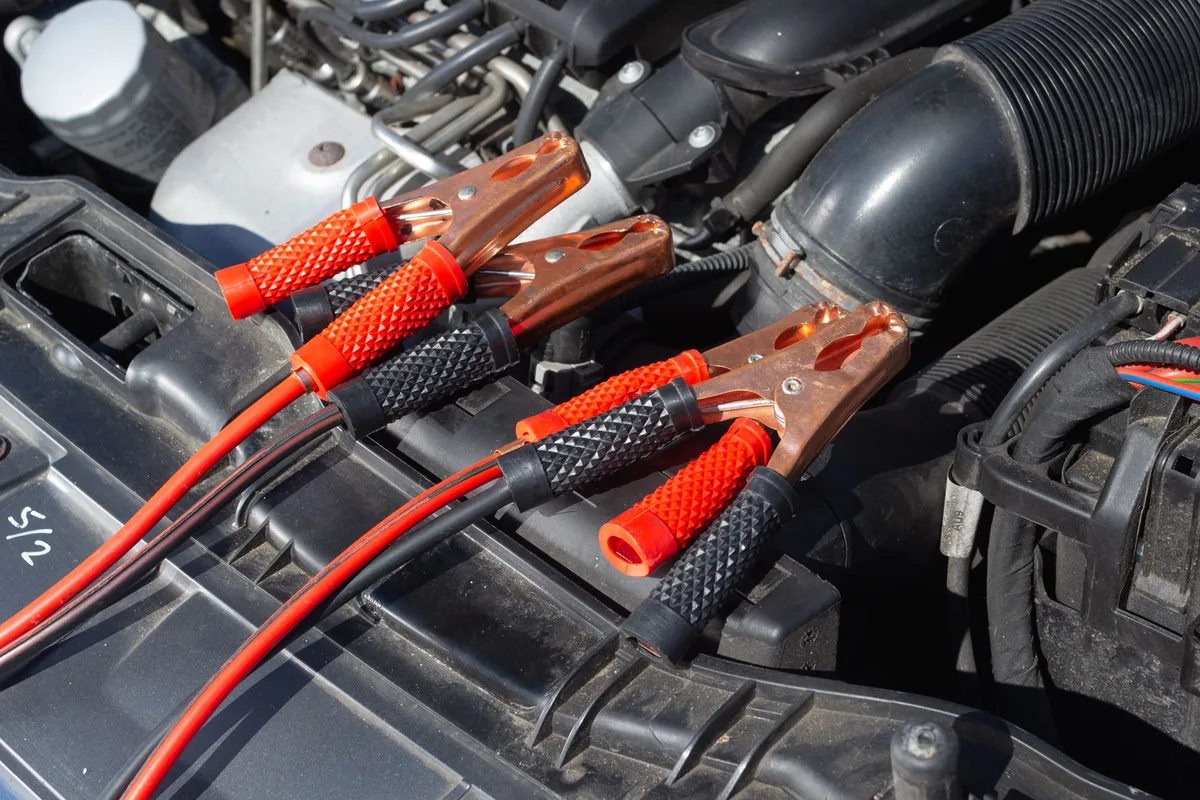
Plug the jump starter into its charger using the correct input port. Most units charge through USB-C, micro-USB, or a barrel jack. Use a wall adapter that matches the rated input voltage.
Watch the LED indicator until it shows a full charge. Recharge after every jump, and top it up every few months in storage.
Why Your Jump Starter Dies When You Actually Need It
Here's the frustrating part. You buy a jump starter, toss it in the trunk, and forget about it. Six months later the battery's dead, and now you've got two dead batteries instead of one.
Lithium cells self-discharge slowly even when nothing's plugged in. A pack left at 100% or drained to 0% degrades faster than one stored properly. That's why the "leave it and forget it" approach fails so often.
It doesn't help that a car battery can look healthy right up until it quits. A battery that reads full but won't turn over is a classic case. The same goes for a slow overnight drain that catches you off guard.
Your jump starter is the backup, so it can't be the thing that's flat too.
Weather makes it worse. Cold mornings hit harder on both your car battery and the jump starter's own cells. A pack stored in a freezing garage may show less usable power than the label promises.
Keep it charged, and keep it somewhere reasonable.
Know Your Unit Before You Plug In
Not all jump starters charge the same way. Before you grab any cable, figure out two things: what kind of battery is inside, and which port it charges through.
Lithium-Ion vs. Lead-Acid Charging Differences
Most modern portable jump starters use lithium-ion or lithium-polymer cells. They're light, compact, and recharge in a few hours. A smaller group of older, heavier "jump box" units use sealed lead-acid batteries instead.
The charging rules differ in a few key ways:
- Lithium units charge fast and store best at partial charge, around 50% to 80%. They rely on a battery management system to prevent overcharging.
- Lead-acid units prefer to sit fully charged. Leaving one flat for weeks can permanently kill it through sulfation.
- Trickle behavior varies. Lithium packs stop drawing power when full. Many lead-acid boxes need an occasional maintenance charge even when idle.
If you don't know which you own, check the label or the manual. It'll list the chemistry, the capacity in mAh or watt-hours, and the input rating you'll need next.
Finding the Right Input Port (USB-C, Micro-USB, Barrel Jack, 12V)
Look at the unit and find the input port, not the output. This is where people slip up. The big clamp terminals and USB-A ports send power out.
A separate, smaller port takes power in.
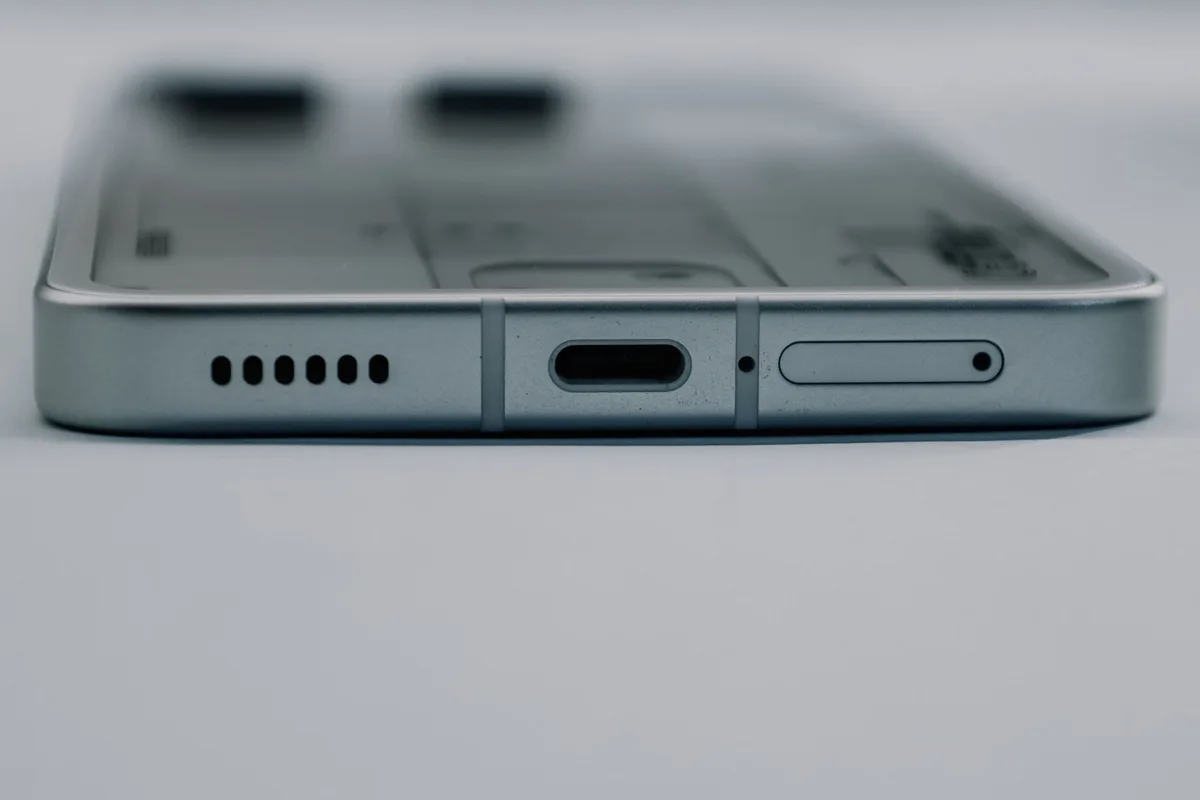
Common input ports you'll see:
- USB-C on newer units, often supporting Power Delivery for faster charging.
- Micro-USB on budget or older models, slower but common.
- Barrel jack (DC) on larger units, usually paired with a wall brick.
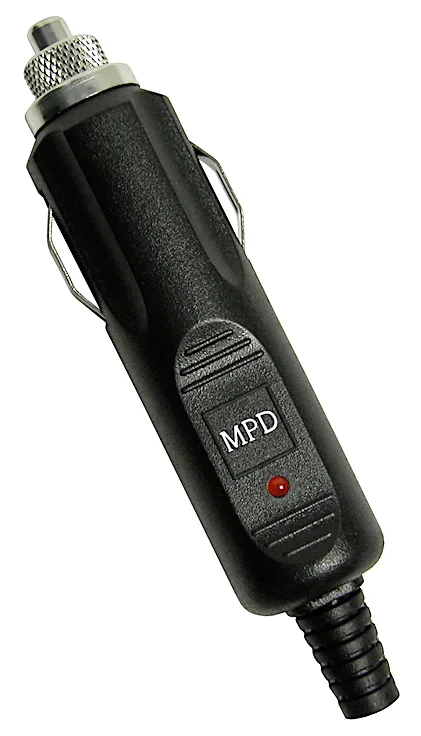
- 12V car socket cable for topping up from your vehicle on the road.
Some units have more than one. If yours does, the fastest option is usually the barrel jack or a USB-C PD port. The manual will tell you which port charges quickest.
Match the Charger to Your Unit's Input Rating
Use a charger that matches the input rating printed on the unit or in the manual. A mismatch won't always break things, but it'll slow the charge to a crawl or refuse to work at all.
Every jump starter lists an input spec like 5V/2A, 9V/2A, or 15W to 65W for USB-C PD models. That number tells you how much power the unit can safely accept. Feed it less, and charging drags on for hours longer than it should.
| Input rating on unit | What to use | Typical result |
|---|---|---|
| 5V/2A (micro-USB) | Standard phone-style adapter | Slow but safe, several hours |
| USB-C PD 15W to 30W | PD-rated wall charger | Faster full charge |
| USB-C PD 45W to 65W | High-watt PD adapter | Fastest charge on supported units |
| 12V barrel jack | Included wall brick | Matches unit exactly, reliable |
A few practical notes:
- The included charger is your safest bet. It's spec-matched by the maker.
- A random phone charger may undercharge. Low-wattage bricks can't push enough current for larger packs.
- Cheap cables cause problems. A thin or damaged USB-C cable throttles charging and can heat up.
Safety certifications matter here too. Look for a UL, CE, or FCC mark on the charger and unit, which you can verify through safety bodies like UL Solutions. Those marks mean the charging circuit passed independent testing.
Skip no-name adapters with no markings at all.
Step-by-Step: Charging From Empty to Full
Charging a jump starter is simple once you've matched the port and adapter. Follow the same flow whether it's brand new or freshly used.
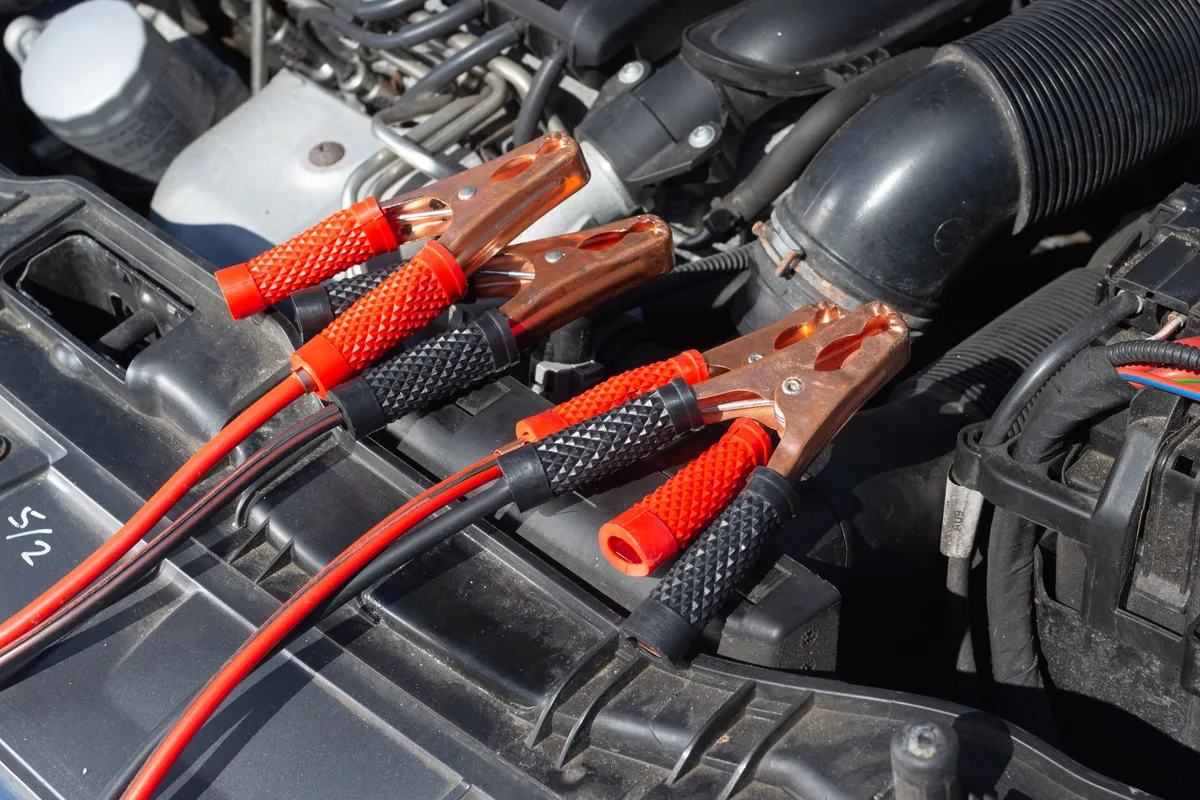
First-Time Charge Out of the Box
New units usually ship around half charged. Give it a full top-up before the first use so it's ready and the cells balance properly.
- Read the label and confirm the input port and rating.
- Connect the correct cable to the input port, not an output.
- Plug into a spec-matched wall adapter.
- Check the LED indicator lights up to confirm it's charging.
- Leave it until the indicator shows 100%, then unplug.
Recharging After a Jump
Recharge as soon as you can after starting a car. A jump pulls a big burst of current, and leaving the pack low invites damage.
- Reconnect the charger within a day or two of any jump.
- Watch the LED bars climb from low to full.
- Don't leave it plugged in for days on end once it reads full.
The LED indicator is your gauge the whole time. Most units show four bars or a percentage. A steady, solid full reading means you're done, while a blinking or partial reading means it's still topping up.
If a car battery ever sags hard under load after a jump, that's the vehicle's battery, not your pack, telling you it may be near the end.
How Long It Takes to Charge (and What Slows It Down)
Most lithium jump starters fully charge in three to fifteen hours. The exact time depends on the pack's capacity and the input power you feed it. A small 8,000 mAh unit on a 30W USB-C charger fills up quickly.
A big 24,000 mAh box on a weak 5V/2A brick can take all night.
Three things drag charging speed down more than anything else:
- Low-wattage adapter. A 5W phone charger can't push enough current for a large pack.
- Thin or damaged cable. Poor conductors throttle the flow and heat up.
- A deeply drained battery. Very low packs charge slowly at first as the cells recover.
Temperature plays a role too. Charging a cold pack slows the chemistry down. If the unit's been in a freezing car, let it warm to room temperature before you plug it in.
Charging Options Compared: Wall vs. Car Socket vs. USB-C
Wall charging is fastest and most reliable. The car socket is best for emergencies on the road. USB-C splits the difference and doubles as your phone cable.
Each fits a different moment, so pick by situation.
| Method | Best for | Speed | Watch out for |
|---|---|---|---|
| Wall adapter (barrel/PD) | Home top-ups | Fastest | Use the spec-matched brick |
| 12V car socket | On-the-road recovery | Slow to medium | Drains your car battery if the engine's off |
| USB-C PD | Travel, dual duty | Medium to fast | Needs a true PD adapter, not any USB port |
A quick if/then to keep it simple:
- If you're at home: use the included wall charger for the quickest, safest fill.
- If you're stranded and the pack's dead: charge from the running car's 12V socket to get some juice back.
- If you're traveling light: a single USB-C PD charger handles both the pack and your phone.
One caution on the car socket. Only charge from it with the engine running. Pulling power from a parked car risks draining that battery too, which defeats the whole point.
Waking a Jump Starter Stuck in Sleep or Protection Mode
If your jump starter won't charge or power on, it's probably in protection mode. Lithium packs enter a low-power sleep state when they sit too long or drain too deep. The battery management system does this on purpose to protect the cells.
It looks dead, but it usually isn't.
Try this wake-up sequence:
- Plug it into the wall charger and leave it for 15 to 30 minutes untouched.
- Watch for any faint LED flicker, which signals the cells are recovering.
- Press and hold the power button for several seconds to trigger a reset.
- Some units need the charger connected while you hold the button.
If nothing happens after an hour on the charger, check your cable and adapter on another device. A dead brick mimics a dead pack. When the unit still refuses every input, the internal battery may be past saving.
That's the point where charging won't bring it back.
Storage Charging: Keeping It Ready Between Jumps
How you store a jump starter matters as much as how you charge it. Lithium cells hate two extremes: sitting fully charged and sitting fully drained. The sweet spot keeps them healthy for years.
Get this right and the pack's ready when a battery finally quits.
The 50 to 80 Percent Rule for Lithium Packs
Store lithium jump starters at roughly 50% to 80% charge. That partial state puts the least stress on the cells over time. A pack parked at 100% for months ages faster and loses capacity.
Leaving one at 0% is worse. Deep discharge can drop the voltage so low the battery management system locks the pack out for good. If you're putting it away for a while, aim for two or three LED bars, not four.
The Three to Six Month Top-Up Schedule
Top up a stored jump starter every three to six months. Even idle, lithium cells self-discharge slowly. Skip the top-up for a year and you may find the pack drained into protection mode.
Set a phone reminder so it doesn't slip. A quick recharge back to 60% or 70% keeps the cells balanced and the unit trip-ready. This single habit prevents most "why won't it charge" problems down the line.
Charging Mistakes That Kill Your Battery Early
Most jump starter failures trace back to a handful of avoidable habits. Fix these and the pack lasts far longer. Verified buyer feedback reports the same errors again and again.
- Storing it flat. A drained lithium pack can slip into unrecoverable deep discharge.
- Leaving it at 100% for months. Full-charge storage accelerates capacity loss.
- Skipping top-ups. Six months of neglect often ends in a dead pack.
- Using a mismatched charger. Underpowered bricks undercharge and stress the cells.
- Charging in extreme heat or cold. Both harm lithium chemistry and slow the fill.
- Ignoring the recharge after a jump. A big current draw left unaddressed weakens the battery.
There's a mindset shift here worth making. A jump starter isn't a fire extinguisher you mount once and forget. It's more like a car battery itself, which needs a healthy charge to do its job.
If you understand when a battery counts as flat, you already know why a neglected pack fails. The same voltage math that leaves you staring at a genuinely dead battery applies to the rescue device in your trunk.
Safety Rules When Charging a Lithium Jump Starter
Lithium cells store a lot of energy in a small space, so charge them with care. A damaged or overheating pack carries a real fire risk. Follow a few basics and you'll avoid nearly every problem.
- Charge on a hard, non-flammable surface with airflow around the unit.
- Keep it away from water, heat sources, and direct summer sun.
- Never charge a pack that's swollen, cracked, or smells odd.
- Use only a spec-matched charger with proper safety markings.
If you travel with a jump starter, the rules tighten. Airlines require lithium packs in carry-on bags only, never checked luggage, per the FAA's battery guidance. Check the watt-hour rating printed on the unit before you fly.
Charging in Cold Weather and Extreme Heat
Temperature affects both charging speed and battery health. Lithium cells charge best between roughly 0°C and 45°C. Outside that band, charging slows and the cells can suffer damage.
In winter, don't charge a frozen pack straight from the car. Let it warm to room temperature first. A cold battery accepts current poorly and may not reach a true full charge.
Heat is just as hard on the cells. Charging in a hot car or direct sun speeds up capacity loss. Move the unit somewhere cool and dry before you plug it in.
When to Replace Instead of Recharge
Sometimes a jump starter is done, and no amount of charging fixes it. Lithium packs typically last several hundred to over 1,000 charge cycles. After that, capacity drops off and jump power fades.
Signs it's time to replace the unit:
- It won't wake from protection mode after an hour on the charger.
- It charges fully but drains within days on its own.
- Runtime and jump power have clearly weakened over time.
- The case is swollen, cracked, or the battery gets hot while charging.
Recycle the old pack properly. Lithium batteries don't belong in household trash. Most auto parts stores and recycling centers take them.
Frequently Asked Questions
How long does it take to charge a portable jump starter?
Most units charge fully in three to fifteen hours. The time depends on the pack's capacity and the charger's wattage. A small unit on a strong USB-C PD adapter may finish in a few hours.
A large pack on a weak brick can take overnight.
Can I leave my jump starter charging overnight?
Yes. Modern lithium jump starters have a battery management system that stops drawing power once full. Overnight charging is fine occasionally.
Still, don't leave it plugged in for days on end. For long-term storage, unplug it and keep it around 50% to 80%.
Can I charge a jump starter with a phone charger?
Sometimes, but a low-wattage phone charger may charge very slowly or not at all. Match the adapter to the input rating on the unit. A larger pack needs a higher-watt USB-C PD or the included wall brick.
Undercharging stresses the cells over time.
Why won't my jump starter turn on or charge?
It's most likely in sleep or protection mode from sitting too long. Plug it into the wall charger and leave it 15 to 30 minutes. Then hold the power button to reset it.
If nothing happens after an hour, test your cable and adapter separately.
How often should I charge a jump starter I never use?
Top it up every three to six months, even if you never jump a car. Lithium cells self-discharge slowly in storage. Skipping top-ups for a year risks a drained, locked-out pack.
A quick recharge to 60% or 70% keeps it trip-ready.
Your Quick Charging Decision Guide
Here's the whole thing boiled down to fast choices. Use it as a mental checklist whenever you reach for the charger.
- New unit? Charge to 100% before the first use.
- Just jumped a car? Recharge within a day or two.
- Storing it? Leave it at 50% to 80%, then top up every three to six months.
- Won't turn on? Give it 30 minutes on the wall charger, then hold the power button.
- Charging slowly? Check the adapter wattage and swap the cable.
- Cold or hot pack? Bring it to room temperature first.
Keep the charge healthy and the ports clean, and a good jump starter will sit ready for years. The goal is simple: when a battery finally quits, your backup has the power to bring it back.
Similar Posts