How to Test a Deep Cycle Battery With a Multimeter
A deep cycle battery can read a healthy voltage and still leave you stranded. That's the catch most guides skip. Learning how to test a deep cycle battery with a multimeter is the fastest way to catch a weak battery before it quits on your RV, boat, or solar bank.
A multimeter costs less than lunch and tells you a lot in under a minute.
Here's the honest limit up front. A resting voltage of 12.7V means a 12V lead-acid battery is fully charged, per Battery Council International reference values, but voltage alone won't tell you if the battery still holds real capacity. As of 2026, a basic voltage check plus a simple load test remains the standard DIY combo.
Let's walk through both, starting with what your meter can actually see.
Quick Answer
Set your multimeter to DC volts. Touch the red probe to the positive terminal and black to negative. A fully charged 12V deep cycle battery reads about 12.7 to 12.8V at rest.
Anything near 12.0V is roughly half charged. For real health, follow up with a load test.
What a Multimeter Can (and Can't) Tell You About a Deep Cycle Battery
A multimeter measures voltage, which tells you the state of charge. It does not measure capacity, which tells you the state of health. Those are two different things, and mixing them up is the number one mistake people make.
Think of it this way. Voltage is like the fuel gauge. Capacity is like the size of the tank.
A battery can show a full "gauge" at 12.7V while the "tank" has shrunk to half its original size from age and sulfation.
Here's the if/then logic:
- If the resting voltage is low, then the battery is discharged or failing. Charge it and retest.
- If the voltage is full but the battery dies fast under real use, then capacity is shot. A voltage check won't reveal this. You need a load test.
So the meter is your first filter, not your final verdict. It's the same principle behind a basic voltage reading on a car battery, just applied to a battery built for slow, deep draws instead of quick engine cranks.
Before You Test: Charge, Rest, and Kill the Surface Charge
Skip this prep and your readings are garbage. A freshly charged battery holds a "surface charge" that inflates voltage by 0.1 to 0.3V. Test too soon and a tired battery looks fine.
Do this first:
- Fully charge the battery with a proper charger. Deep cycle batteries need a full charge to read accurately.
- Let it rest. Aim for 12 to 24 hours disconnected. A few hours is the bare minimum.
- Disconnect the loads. Any device pulling power skews the number and can cause a small arc.
- Kill the surface charge. Turn on a headlight or small load for 2 to 3 minutes, then let it settle for a few minutes.
One safety note before you touch anything. Lead-acid batteries vent hydrogen gas, which is flammable, so work in a ventilated space with no sparks or flames. OSHA's battery handling guidance flags ventilation and eye protection as basics.
Safety glasses and gloves aren't optional here.
Setting Your Multimeter to DC Volts the Right Way
Turn the dial to DC voltage, not AC. Look for a V with a straight line and a dashed line above it (V⎓). The wavy line (V~) is AC, and that's the wrong setting.

If your meter is auto-ranging, you're done. Just pick DC volts. If it's manual-ranging, choose the 20V range.
That covers any 12V battery with room to spare and gives you good resolution, usually to 0.01V.
Quick probe check:
| Probe | Color | Terminal |
|---|---|---|
| Positive | Red | + post |
| Negative | Black | − post |
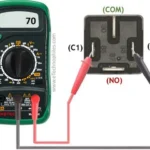
Plug the black lead into the COM jack. Plug the red lead into the VΩ jack, not the 10A current jack. Getting this wrong is a common slip when folks are also checking battery amperage, since amps use a different port entirely.
For a plain voltage read, you want the volts jack every time.
Step-by-Step: Reading Resting Voltage at the Terminals
Now the actual reading. This part takes about 30 seconds once the battery has rested.
- Confirm the meter is on DC volts (20V range if manual).
- Clean the terminals. Corrosion adds resistance and drags the number down.
- Press the red probe firmly on the positive post.
- Press the black probe on the negative post.
- Hold steady and read the display.
- Write the number down so you can compare after charging.
If you reversed the probes, the display shows a minus sign but the same value. No harm done. Just swap them for a clean reading.
A steady 12.7V or higher means the battery is fully charged. A number that sags while you watch usually points to a weak cell or a heavy parasitic draw you forgot to disconnect. This is the same hands-on approach used for a standard car battery check, and the terminal contact matters just as much here.
Loose or dirty contact is the most common reason for a reading that looks worse than the battery really is.
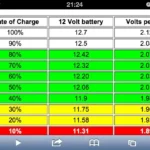
Deep Cycle Battery Voltage Chart (State of Charge)
Here's the reference you'll use most. These numbers are for a 12V lead-acid battery at rest, around 77°F (25°C), after the surface charge is gone.
| State of Charge | Resting Voltage (12V) |
|---|---|
| 100% | 12.7 to 12.8V |
| 75% | 12.4V |
| 50% | 12.2V |
| 25% | 12.0V |
| Fully discharged | 11.9V or lower |
The gap between full and empty is tiny. About 0.8V separates a full battery from a dead one. That's why a good multimeter with 0.01V resolution matters so much here.
If/then quick read: if you see 12.4V, then the battery sits near 75% and wants a charge. If you see 12.0V, then you're down to a quarter tank and heading for trouble.
How Temperature Shifts Your Readings
Cold drops your voltage, heat nudges it up. Lead-acid readings shift by roughly 0.01V per cell for each degree Celsius away from 25°C. With six cells, that adds up fast in freezing weather.
So a battery reading 12.5V in a cold garage might actually be closer to full than the chart suggests. If you test in winter, warm the battery to room temperature first for the most honest number.
Lead-Acid vs. LiFePO4 Voltage Numbers
Lithium iron phosphate (LiFePO4) batteries play by different rules. A full LiFePO4 pack rests around 13.3 to 13.6V, and its voltage stays nearly flat across most of the charge. That flat curve is the catch.
A LiFePO4 battery can sit at 13.2V from 90% down to 20% charge. Voltage alone is a poor fuel gauge for lithium. For those, a shunt-based battery monitor gives far better data than a multimeter.
Voltage Reads Full? Now Run a Load Test
A load test is where you find out if the battery is genuinely healthy. Voltage shows the charge. A load test shows whether the battery can hold that voltage while doing real work.
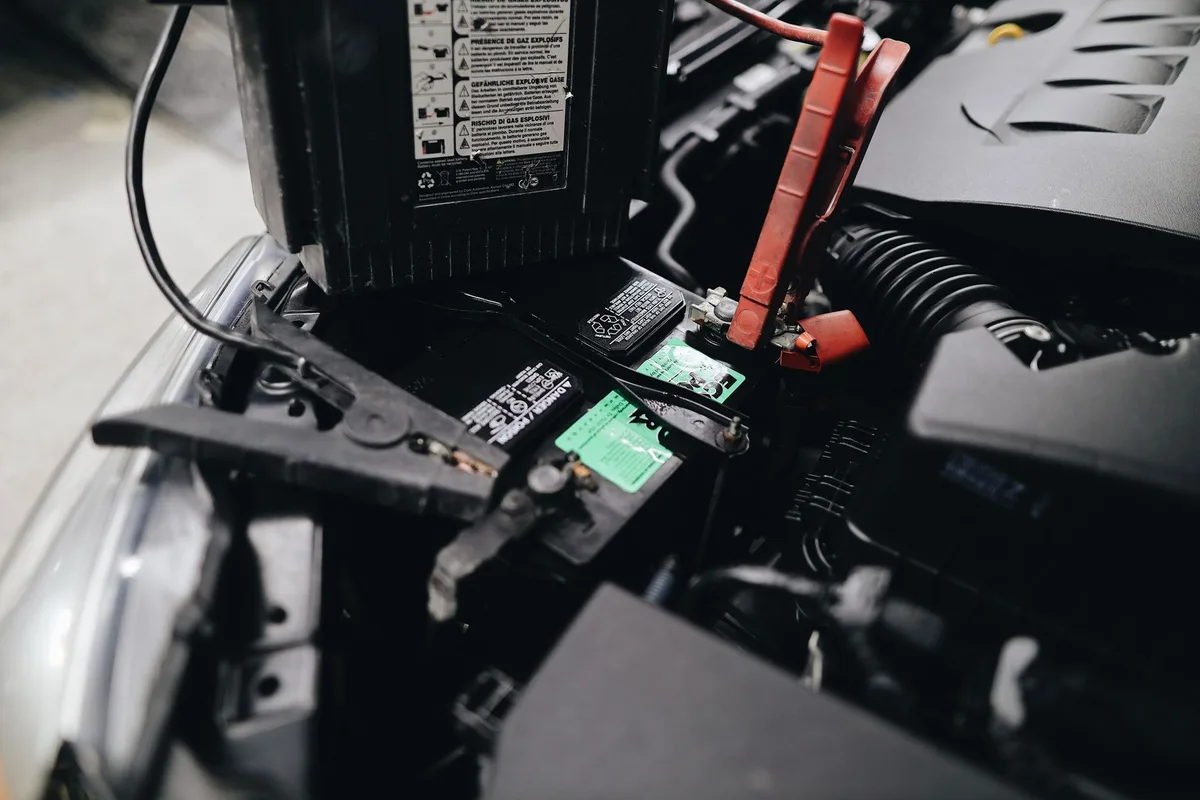
The idea is simple. You apply a heavy draw, then watch how far the voltage sags. A strong battery holds up.
A weak one collapses fast.
Using Headlights vs. a Dedicated Load Tester
A dedicated load tester is the better tool, but headlights work in a pinch. Here's who each suits best.
- Headlight method: best for a rough DIY check with gear you already have. Turn on a 12V headlight or accessory, leave it for 30 seconds, and read the voltage under load.
- Carbon-pile or electronic load tester: best for accurate, repeatable results. It applies a set load matched to the battery rating and gives a pass or fail.
The same load-under-draw logic applies whether you're checking house batteries or putting a starter battery under strain. The difference is the load size and how long you hold it.
What the Voltage Drop Under Load Actually Means
A healthy 12V lead-acid battery should stay above 10.5V under a proper load. Drop below that and the battery is failing. Here's the if/then breakdown:
- If voltage holds above 12.0V under load, then the battery is in good shape.
- If it sags to 10.5 to 11.5V, then capacity is fading. Plan a replacement soon.
- If it crashes below 10.5V, then the battery is done.
A slow, steady sag is normal. A sudden nosedive points to a dead or shorted cell.
Finding a Weak Cell or a Bad Battery in a Bank
One bad battery drags down a whole bank. Series-wired banks are especially unforgiving. If you have a 24V or 48V bank made of 12V units, test each battery on its own.
Disconnect the bank first. Then read each battery separately and write down every number. A battery that reads 12.7V next to one reading 11.8V is your culprit.
Watch for these red flags:
- One battery consistently 0.2V or more below its neighbors.
- A battery that charges up fine but drops fast once resting.
- Heavy sag on that single unit during a load test.
For flooded batteries, you can go a level deeper and check individual cells with a hydrometer. A single cell reading much lower than the others confirms internal failure. That battery won't recover, no matter how long you charge it.
Decision Guide: Charge It, Recondition It, or Replace It
Once you have your numbers, the next move is usually clear. Match your readings to the right action below.
| Reading | Likely Cause | Action |
|---|---|---|
| Low voltage, recovers fully after charging | Just discharged | Recharge and use |
| Low voltage, won't hold charge | Sulfation buildup | Try reconditioning |
| Full voltage, fails load test | Lost capacity | Replace |
| One cell far below the rest | Dead cell | Replace |
Reconditioning can help a sulfated flooded battery. A slow desulfation charge sometimes recovers lost capacity, though results vary. AGM and gel batteries rarely bounce back the same way.
Here's the honest rule of thumb. If a battery fails a load test or has a dead cell, replace it. No charger fixes a physically worn-out plate.
This same charge-or-replace judgment applies when you work through a full battery diagnosis on any 12V unit.
Multimeter vs. Hydrometer vs. Battery Analyzer
Each tool answers a different question. A multimeter reads voltage. A hydrometer reads acid strength.
A battery analyzer estimates true capacity and health.

Here's how they stack up:
| Tool | Measures | Best For | Works On |
|---|---|---|---|
| Multimeter | Voltage (state of charge) | Fast everyday checks | All battery types |
| Hydrometer | Specific gravity of electrolyte | Deep cell-by-cell health | Flooded only |
| Battery analyzer | Capacity and internal resistance | True state of health | All types |
A hydrometer is the classic choice for flooded lead-acid batteries. A full charge shows a specific gravity around 1.265 to 1.275. Big swings between cells mean one is failing, something voltage alone can miss.
A conductance-based battery analyzer gives the most complete picture. It's pricier, but it reads capacity without a long discharge. For most owners, a multimeter plus an occasional load test covers 90% of what you need to know.
Testing Mistakes That Give You False Readings
Most bad readings come from bad prep, not a bad battery. These are the slip-ups that fool people into replacing a good battery or trusting a dead one.
- Testing right after charging. The surface charge inflates voltage. Rest the battery first.
- Leaving loads connected. A fridge or inverter still pulling power drops the reading.
- Dirty or corroded terminals. Extra resistance makes a healthy battery look weak.
- Reading AC instead of DC. Double-check the meter is on V⎓, not V~.
- Judging health by voltage alone. Full voltage never proves capacity. Run a load test.
- Using LiFePO4 on a lead-acid chart. The numbers don't match. Use the right reference.
One more trap catches folks with cheap meters. A drifting or low-quality multimeter can be off by 0.2V or more. When in doubt, confirm your meter against a known good 12V source before trusting the number.
Safety Checks Before You Touch the Terminals
Lead-acid batteries hold sulfuric acid and vent hydrogen gas, so a few basics keep you safe. Hydrogen is explosive in the wrong conditions, and the U.S. Department of Energy notes that stored battery energy carries real shock and burn risks.
Run through this before every test:
- Wear safety glasses and gloves. Acid burns skin and eyes.
- Work in a ventilated space. No sparks, flames, or smoking nearby.
- Keep metal tools clear of both terminals. A dropped wrench across the posts can weld itself and cause burns.
- Check for cracks, leaks, or bulging. A damaged case means stop and recycle the battery.
- Neutralize spills with baking soda and water.
If a battery is hot, swollen, or hissing, walk away. Let it cool and handle it as a hazard. Never charge or load-test a visibly damaged battery.
Keeping Deep Cycle Batteries Healthy Between Tests
Regular upkeep beats reactive testing every time. A deep cycle battery lasts far longer when you avoid deep discharges and keep it topped up.
Simple habits that stretch battery life:
- Avoid draining below 50% state of charge. Shallow cycles add years to lead-acid life.
- Recharge promptly after use. Leaving a battery discharged accelerates sulfation.
- Check voltage monthly during storage. A resting read under 12.4V means recharge now.
- Keep flooded cells topped with distilled water above the plates.
- Clean terminals and keep connections tight.
Store batteries somewhere cool and dry. Heat is the quiet killer of battery capacity. For long winter storage, a maintenance charger holds the battery near full without overcharging.
A quick monthly voltage check is your early warning system, and it takes under a minute.
Frequently Asked Questions
What voltage is bad for a deep cycle battery?
A resting voltage below 12.0V on a 12V lead-acid battery signals trouble. That's roughly 25% charge or less. If it stays there after a full charge, or drops below 10.5V under load, the battery is failing and needs replacing.
Can I test a deep cycle battery without removing it?
Yes, you can test it in place. Just disconnect any loads first and turn off connected devices so nothing skews the reading. Touch the probes to the terminals as usual.
For a load test in a bank, though, isolating each battery gives clearer results.
How long should a deep cycle battery rest before testing?
Let it rest 12 to 24 hours after charging for the most accurate resting voltage. If you're in a hurry, a few hours works after you remove the surface charge with a brief load. Testing too soon gives a falsely high number.
Does a multimeter show battery health or just charge?
A multimeter shows state of charge, not health. Voltage tells you how full the battery is right now. It won't reveal lost capacity from age or sulfation.
For true health, pair the voltage reading with a load test or a battery analyzer.
Why does my battery read 12.6V but still die quickly?
That's classic capacity loss. The battery charges to a healthy voltage but the usable "tank" has shrunk. Voltage looks fine at rest, then collapses the moment you draw real power.
A load test will confirm it, and the fix is replacement.

Similar Posts